How to follow yourself

Hey everyone, and today I’m going to teach you how to follow yourself! I get asked this question A LOT! Before we start I need to say YOU NEED 2 ACCOUNTS FOR THIS TO WORK! It could be any other account, your own, a friend’s, or even a siblings! Let’s get started!
First, open two tabs, and go to scratch on both of them.

Make sure you are signed in as your alt account (the one that’s not going to be followed) Then, on one of the tabs go to you main accounts profile.
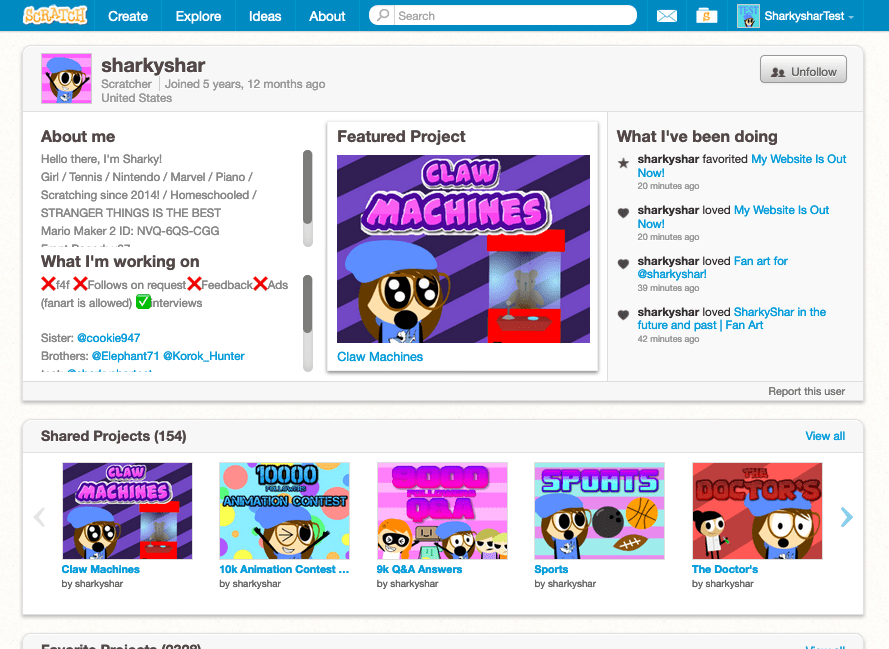
MAKE SURE YOUR NOT ALREADY FOLLOWING THEM! (you can follow them again afterwards)

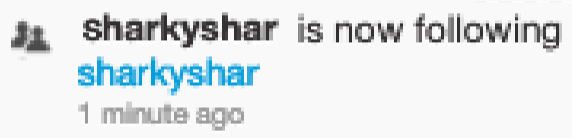
Now, head over to your other tab, and sign into your main account. Then, go back to the other tab, and hit the follow button! Now you should be following yourself!
That’s all for today! I hope you enjoyed! Make sure to like, and subscribe! We also have a discord server: https://discord.gg/zDnN6X Have a nice day!

36 responses to “How to follow yourself”

  1. So confusing!

    Like

    1. yes most definitely!

      Like

    2. Sharkysharfan12 Avatar
      Sharkysharfan12

      The discord link doesn’t work

      Like

    1. this means do f4f with your test account

      Like

  2. kkdude10 on scratch Avatar
    kkdude10 on scratch

    wow! this helps a lot! 😀

    Like

  3. hello people

    Like

  4. it’s very confusing

    Like

    1. no it isn’t

      Like

  5. sharksharfan123 Avatar
    sharksharfan123

    omg thx it worked

    Like

  6. how to unfollow your self

    Like

  7. Cool! Love ya, @sharkyshar! Me and my sister @super-sparkle18 are doing this! thx!

    Like

    1. Wow!! I did it!! Thx!! I am @cs4198600

      Like

  8. Lol my test got followed instead XD

    Like

  9. I don’t get in 😦

    Like

  10. How do I even do this, I already looked at it very carefully but it never worked.

    Like

    1. It does work. I tried it myself, and it worked. You should probably look again.

      Like

  11. Oh this actually works! Thank you!

    Like

  12. Confusing…

    Like

  13. theres another way too

    Like

  14. i did it!

    Like

  15. Hello Sharkyshar! I just found your website and its so helpful! BTW, I’m a Scratcher too! My username is Unicorn_SunshineLOVE.

    Like

  16. This was so confusing at first, but I got used to it. Thanks Sharky!

    Like

  17. gregorythefancygamer Avatar
    gregorythefancygamer

    0u0 IT works!

    Like

  18. I dont understand?

    Like

  19. This really works! Thanks, I would never have done that without this tutorial

    Liked by 1 person

  20. The_Doge_Animation Avatar
    The_Doge_Animation

    OMG, that works!!!! Thank you, Sharky! 🙂

    Like

  21. wow I have 2 accounts: noodlesparkle and pop_quiz6000

    Like

  22. Oh it’s work now thank you 🙂

    Like

  23. That was a glitch in scratch

    Like

  24. so helpful

    Like

Leave a comment