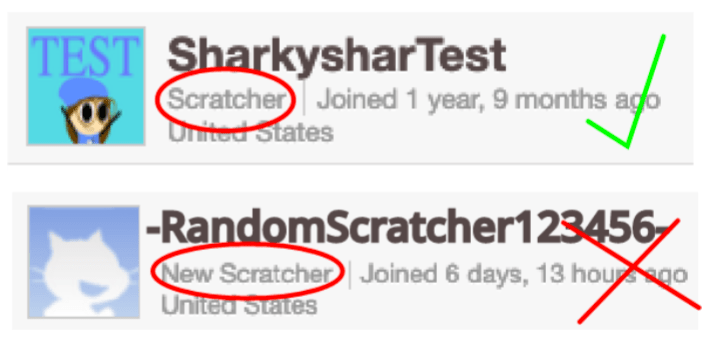
Welcome back, and today I’m going to be showing you how to make a world record in your games, and how to make a dodge game! Before we start though, I just have to say that if you are a new scratcher you will not be able to use cloud. Scratch disabled new scratchers from doing it, so if you are, you could come back in a few weeks, or you could just scroll down to the dodge game part of this tutorial, and not do the cloud part.
Cloud World Record:
Let’s get started!
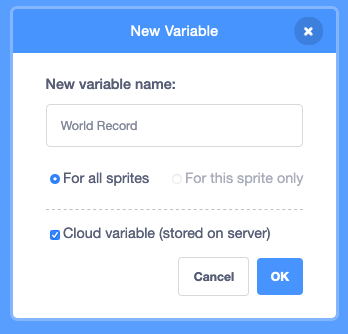
We’re going to start off by creating a new variable called “World Record”. Make sure you check off the box that says “cloud variable (stored on the server)”.
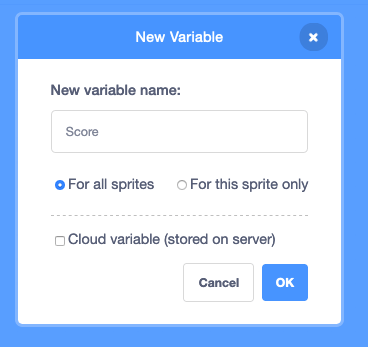
Next, create another variable for the score! (If you already have the score variable then just skip this step) Make sure this is NOT a cloud variable!
Now, make this script:

This will make it so when a player breaks the record, it will set the “world record” variable to the new high score!
You can use this for whatever game you’d like, but if your not sure how to make a game I will show you how to make a dodge game, so you can try out your new cloud scripts!
Dodge game:
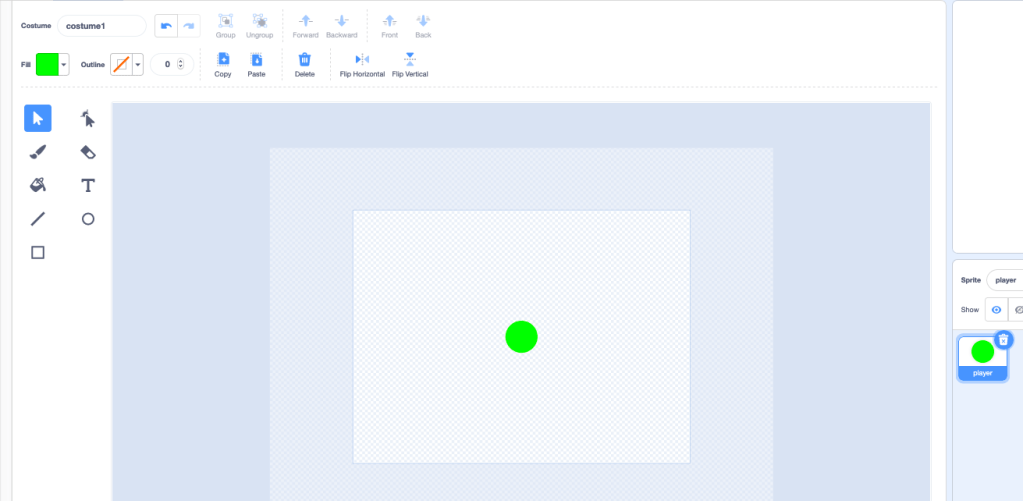
Start off by making a sprite called player. You can make the player look however you’d like.
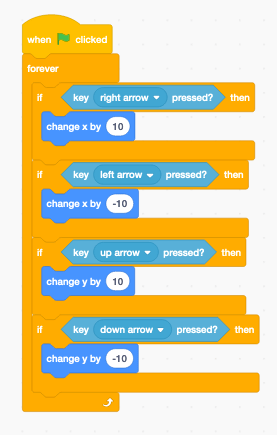
Next, add this script. It will make it so the player can move with the arrow keys.
Now create a new sprite. Call it whatever you want the enemy to be. I’m going to do spikes.
Next, we are going to create a variable called “randomizer”. Make sure that variable is hiding!
Now, make this script: (make sure your in the spikes sprite)
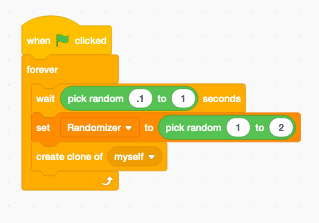
This is creating clones.
Now make this:
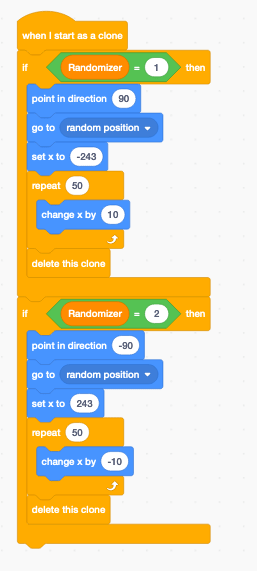
This is making the spikes move!
Next, make this script:
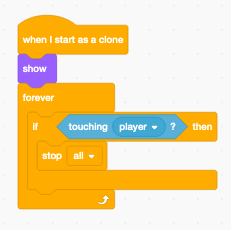
This will make it so it all stops when the spike touches the player!
We’re almost done just make this one last script:
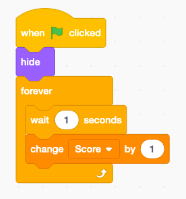
This script makes it so every second you get a point!
Well, that’s it for today! Make sure to like, subscribe, and join our discord server at: https://discord.gg/jQUE796 Have a nice day! Bye!


 Sharkyshar
Leave a reply to 433934J05 Cancel reply