Good Thumbnail Tutorial

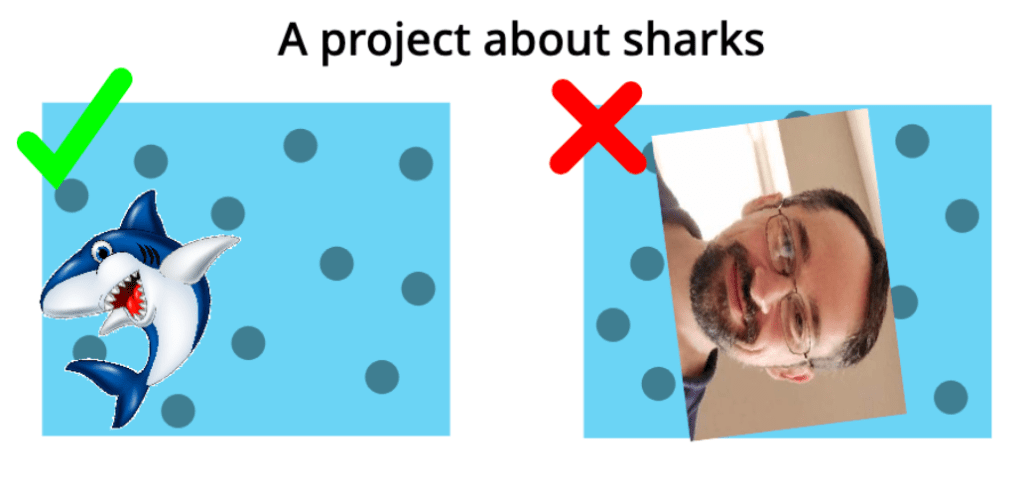
Hello, and today I will be teaching you how to make a good thumbnail! If you don’t know what a thumbnail is, it’s the cover on your project! Here is an example of a good VS. a bad thumbnail.
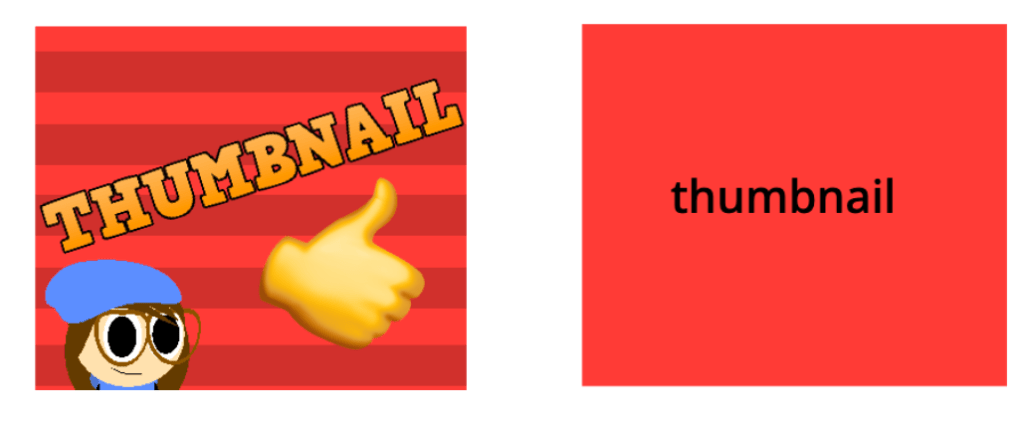
Which of these do you think people would click on more? Yep, that’s right, the first one. I’m going to teach you how to make them like that!

Step 1: Setting it up!

Create a new sprite, and make this script:
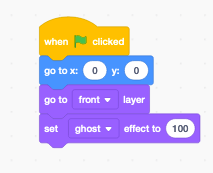
This will make it so when you press the stop button, it will show!

Step 2: The backround!

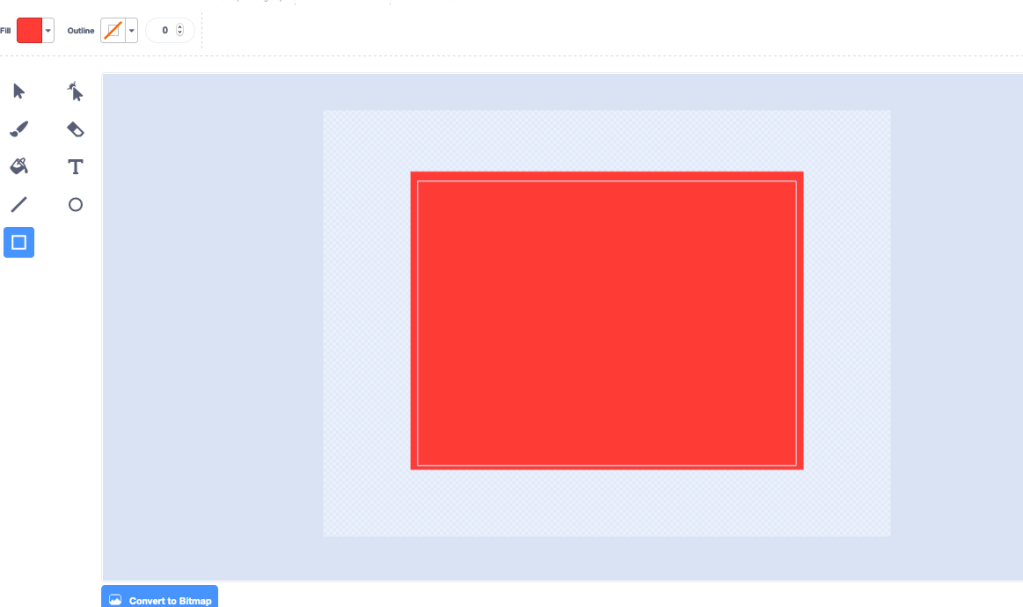
Now, go into the costume editor on your thumbnail sprite, and make a big square that covers the whole thing! It can be any color you want! This will be the backround color of thumbnail!
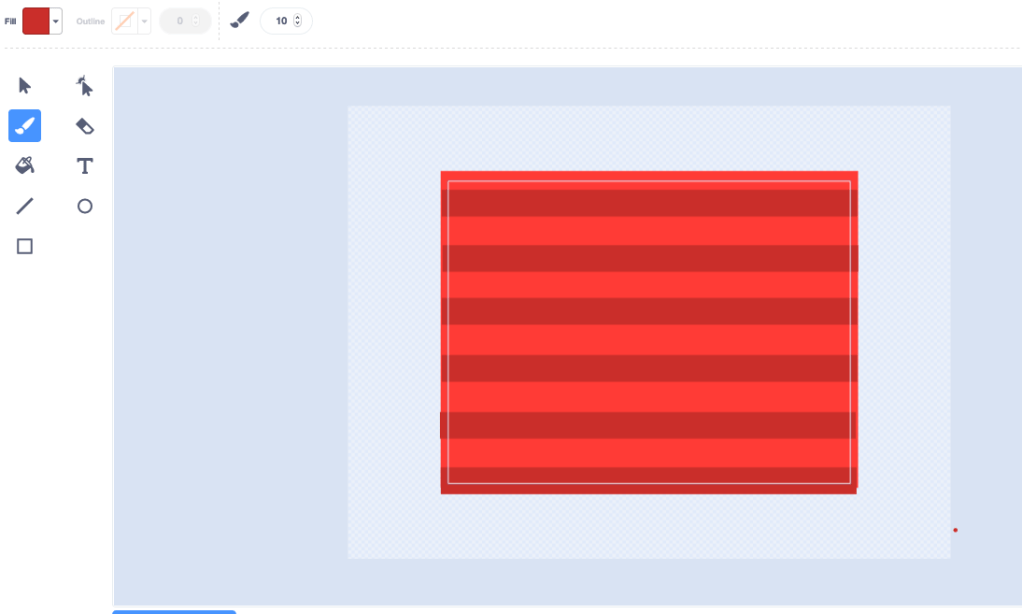
I like to add some designs to it too, like stripes, or polka dots.
Step 3: Add pictures!

You want to give the person looking at your project an idea of what it’s going to be, and you want to make it look intriguing, so they will WANT to click on it. Adding pictures to your thumbnail is the best way to do it! Add a picture related to your project, don’t just put a totally random things!
Add as many pictures as you want, but make sure to leave room for the text!

Step 5: The Text!

I get this question A LOT! “How do you get that text on your thumbnails?” Well, here’s the answer to that! There’s this AMAZING website called cooltext.com, and you can get all these fonts for FREE!
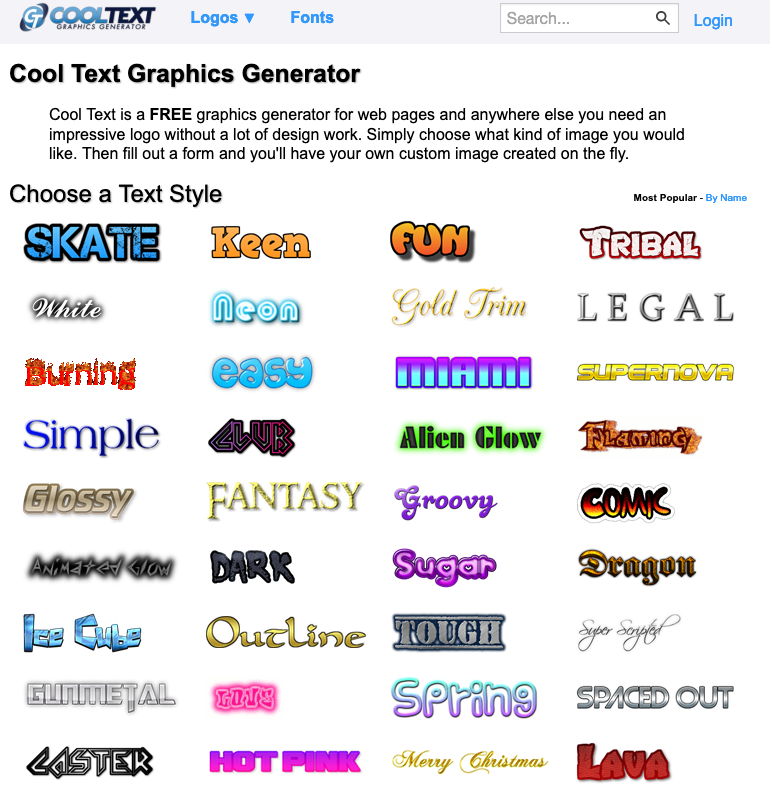
After you download your text, just stick it on the thumbnail, and there you have it! A good thumbnail!

If you enjoyed this make sure to subscribe, and join our discord server at: https://discord.gg/GCu5Xf where you can suggest tutorial ideas, and talk to me! Have a good day! bye!

65 responses to “Good Thumbnail Tutorial”

      1. i like your website!

        Liked by 1 person

      2. hiiii 🙂

        Like

      3. burpanimation898 Avatar
        burpanimation898

        hello

        Like

      4. I just wanted to know where did you get your OC and if you could follow me on scratch my username is
        -alexanimator- you inspired me to start animating

        Like

      5. sunshinetheconure Avatar
        sunshinetheconure

        Hi! This is a cool website!

        Like

      6. i love your website(also your a great scratcher when i first come to scratch i always watch your animations so funny)

        Like

      7. hi I am from scratch

        Liked by 1 person

      8. hi sharky

        Liked by 1 person

      9. 😎

        Liked by 1 person

      10. Hello dear boi

        Like

      11. This tutorial doesn’t teach up more important stuff like contrast, points of focus, colour theory, etc. you should explain these.

        Like

      12. Yeah I was just talking about basic information I might do a more in depth tutorial soon

        Liked by 1 person

      13. twilightisbestonscratch Avatar
        twilightisbestonscratch

        how are you doing? you might know me in scratch my username is twilightisbest i try to interview you a lot lol 🙂

        Like

      14. Wow, sharky !!!
        Hi, im such a huuuuuge fan of you in Scratch 😀

        Like

      15. Hi! SUCH a big fan!

        Like

      16. hi sharky i’m your biggest fan is that ok you can email me on gmail ?

        Like

    1. hi I am amazingQ from scratch, you are the best scratcher I had ever seen 😀

      Like

    2. So cool This tutorials are very goooooooooood and u are a great scratcher I’m following u, I like much your projects

      Like

    3. nice rlly like it!

      Like

    4. You Inspired me to do animations!

      Like

    5. hi sharky i’m your biggest fan is that ok you can email me on gmail ?

      Like

  1. this was a good tutorial!

    Liked by 1 person

  2. I liked this tutorial! 😀

    Liked by 1 person

  3. it really helps because im not very good at making thumbnails 😛

    Liked by 1 person

  4. […] I’ve said it before, and I’ll say it again! THUMBNAILS ARE IMPORTANT! If you have a good thumbnail WAY more people will click on your project! Make it so people really WANT to click, peak their interest! I have a whole tutorial on how to do it here: https://sharkyshar.com/2020/06/02/good-thumbnail-tutorial/ […]

    Like

  5. animate_life from scratch Avatar
    animate_life from scratch

    wow

    Like

  6. mynameonscratchismazzyisnotmazzy Avatar
    mynameonscratchismazzyisnotmazzy

    i love this website

    Like

  7. Hey @sharkyshar! You are so great! thanks for telling me this. I have it bookmarked! But just a little question; how do you delete uploads? I feel so emmbaressed asking this…

    Liked by 1 person

  8. It’s a good tutorial!

    Like

  9. btw it’s a good website 🙂 i like it

    Like

  10. Sharky I am your biggest fan I want to know where you got your OC or if there was a website you made it I want to make a oc of my own I want to know if you could follow me in my account in scratch I have a normal account but I made a new account because you inspired me to make it my original account is @famousboy1-2 it was my friend who made the problem of unfollowing you and saying that you were not nice but can you follow me on my an amazing account being inspired by you @-alexanimation- you could make me the happiest person on the earth just by following me cuz I seen you follow other people you will not be disappointed with my project

    Like

  11. I love your projects Sharky! I just watched that new one called pie! I wonder how much time it takes to make those characters on the thumbnail though…?!

    Like

  12. Hi Sharky! These tutorials have taught me so much in so little time! I am a huge fan of your animations and I hope to be a successful animator someday and these have really inspired me to be better at coding. I am a huge fan of your work and I hope you have a great day! 😀

    Like

  13. Hey sharky! I am a big fan of you’re animations and tutorials you are honestly one of the people who inspired me to start animating on scratch! Also these tutorials are SO helpful thanks for them!

    Like

  14. hi sharky

    Like

  15. Not_Landynn_Man_Dood Avatar
    Not_Landynn_Man_Dood

    Hello, SharkyShar. I don’t know you, and, you don’t know me. But I’m a scratcher, Landynn_mah_dood, and I’ve got a tutorial suggestion. (If there isn’t one already,) how about How to make an OC. There is probably one already, so never mind.

    Like

  16. (Note: I’m not trying to be offensive with this comment! It’s just something I noticed and would like to share.) At the start of this post, in the good-vs-bad thumbnail comparison, you asked us which thumbnail we would be more likely to click on. I would actually be more likely to click on the thumbnail you have labelled as “bad”, for a few reasons. Firstly, the “good” thumbnail is not good. At all. Apart from the background, it is almost the polar opposite. The character is fine, but it is positioned weirdly on the thumbnail so that it is almost the opposite of eye-catching. Ideally, it should be larger – so it can be seen when the thumbnail is a small icon on the Explore page or on your profile – and positioned higher up and nearer the middle of the thumbnail so some of its neck/body is shown. As for the text, it is slanted, which is not pleasing to look at, and it contrasts very badly with the background. And the image… *why?* Yes, the image is in fact appropriate, like you said in the post it should be. A thumbs-up IS relevant in the situation of the topic of a “good thumbnail”. But it isn’t necessarily the *relevance* that makes a thumbnail *good*. The image is blurry. The image has SHADING which looks out of place with the other images. It is SLANTED and on a completely random place on the thumbnail! The “bad” thumbnail caught my eye with its good, simplistic design, and a good contrast between the text and background color. It looks amazing, even though it is simple. All it needs is to be centred, and then you have a wonderful aesthetic for your profile This “good thumbnail” is, to put it bluntly, EXTREMELY unprofessional. It looks like the work of a 9-year-old. Surprising for someone in 9th grade. If it is of any help at all, here is a link to a fixed version of the thumbnail I have devised. The Sharkyshar art used is the one from your into. https://i.imgur.com/KFZ4VFs.png

    Like

    1. yeah your one looks better…. I didn’t exactly spend time on this. Honestly I was just trying to give people the basic idea of it. Also would you seriously click on a thumbnail that expresses nothing about what the project is going to be and is just plain text? xD

      Liked by 1 person

      1. xD I do see your point, but if it was by a user who I know I like their content, I would definitely click on it. And depending on other circumstances, I’d do it for other users too. Some people do “aesthetics” for their profile, where all their projects have similar thumbnails. I’m sure you’ve come across a few. So, for example, they could have all their thumbnails just a red background with text, like the “bad thumbnail” in this article. I also take into account peoples’ profile pictures when clicking. If their PFP has nice art and the thumbnail shows me what to expect, I’d probably click. It really depends on the target audience. Your account is mainly directed to younger kids, so I guess your thumbnails are perfect for that — eyecatching, although not super pretty, they get the point across and look exciting for 8 year olds. And your point, “it expresses nothing about what the project is going to be” is extremely valid, as judging a book by its cover is exactly what most viewers do! But a thumbnail like that does give some sort of mystery, so if I saw a thumbnail like that called “tomorrow” and the person had a nice PFP, I’d click. The project title also plays a role, so it could be called “tomorrow || part 8” for a MAP or, “tomorrow, this will happen…” The latter is more suited to this thumbnail as it induces suspsense. Again, sorry for the super long reply, I tend to ramble quite a bit. I hope I made some sense. I hope I don’t sound like a hater lol!! I do like your projects.

        Like

  17. Hallo There Sharkyyy!!!! Can you please make a tutorial on how to make a platformer (on scratch, obviously 😏)?
    I take so much time to make a platformer and I fail miserably. So, I suppose, you could help ?

    Like

    1. kreeper247scratch Avatar
      kreeper247scratch

      you may need to ask on scratch

      Like

  18. kreeper247scratch Avatar
    kreeper247scratch

    but she may reply here!

    Liked by 1 person

  19. Hey Sharky!! Love this tutorial! Thanks so much for explaining thumbnails to me. I never knew how to do that before! Also, I was wondering if you had an updated discord link because the one on this tutorial doesn’t seem to be working. Thanks.

    Like

  20. Lilac House Librarian Avatar
    Lilac House Librarian

    Thissss isss sooo goodddd. I’m obsessed with your animations and my dad likes them too!!

    Like

  21. Heeeey, since i see your tutorial, i start using thumbnails for my animation, thx UwU

    Like

  22. The code did not work.
    Please tell me what to do.

    Like

    1. It’s not code though

      Like

  23. when I try to make text with cooltext.com things go rong

    Like

    1. crunchyorange Avatar
      crunchyorange

      As in what

      Like

      1. sorry it works now I thought an ad was part of the website but now it works okay sorry for the late reply

        Like

  24. Hey! I wanted to say that this really helped me out! Thanks for the tutorial btw.

    Like

  25. My thumbnail doesn’t show when looking at the project… though I followed the instructions

    Like

Leave a reply to ScratchUser1082 Cancel reply